Want to save an Instagram video for offline viewing without installing another app? A browser-based downloader can help you save supported public posts using their links. Understanding formats and quality makes saved videos more useful.
This guide covers downloading, formats, quality, storage, and troubleshooting.
How to Download Instagram Videos Online in 3 Steps
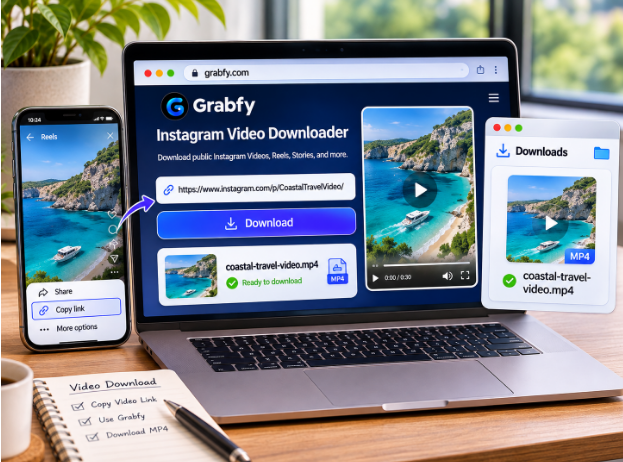
The basic process is straightforward. Grabfy’s Instagram Video Downloader accepts links to supported public Instagram videos without requiring a separate application or Instagram login credentials.
Step 1: Copy the Instagram Video Link
Open Instagram on your phone or computer and find the public video. Tap Share and select Copy link. On desktop, you can also copy the Instagram post URL from the address bar.
Check that the content is publicly accessible; saving a public Instagram post is generally for personal use. Downloaders cannot retrieve posts from private accounts or anything restricted to approved followers.
Step 2: Paste the Link Into a Downloader
Open a compatible browser, paste the copied URL into the input field, and follow the on-screen instructions in any modern browser, including a mobile browser. You should not need to provide your Instagram password or Instagram credentials, and you do not need to install anything to download supported public media.
Step 3: Download and Save the Video
Select the available download option and click Download to save the full video, not just audio, when that option is available. Instagram videos are commonly saved as MP4 files, which work with most phones, computers, and media players. Supported downloads aim to preserve original quality without added watermarks. Check your browser’s Downloads folder if the file does not appear immediately.
What Instagram Content Can You Download?
Instagram offers several media formats. Each has different availability, storage, and quality considerations.
Instagram Feed Videos
Public feed videos may include tutorials, interviews, product demonstrations, or personal clips. Saving permitted copies makes it easier to revisit useful information offline. Available quality depends on Instagram’s processed media rather than necessarily matching the creator’s original recording.
Instagram Reels
Reels are short-form videos used for entertainment, education, and creative storytelling. Many users save their favorite reels or other favorite content to watch later on any device. Instagram offers a built-in download option for eligible public Reels, although creators can disable it. External tools can download IG videos in MP4 for mobile, tablet, and desktop use. Native downloads may include attribution watermarks, and licensed music may be excluded.
Instagram Stories and Highlights
Stories typically disappear from public view after 24 hours unless preserved in Highlights. Their links may stop working after expiration or removal. Public Highlights can remain accessible longer, depending on the account owner’s settings.
Instagram Carousels and Photos
Carousels contain multiple photos, videos, or both. When saving one, check that you have collected every relevant slide. Photos commonly download as JPEG files, although the format and resolution depend on the available media.
Why Choose Grabfy for Public Instagram Videos?
For a convenient browser-based option, Grabfy is free to use for supported public videos and photos, helping users save supported public Instagram videos without installing dedicated software. Its link-based workflow works across compatible devices, though users should still consider user privacy when using any third-party downloader.
Grabfy also offers format-specific tools for Reels and carousels. These tools help organize different media without sharing login credentials.
Browser-based downloading does not guarantee access to every public post or complete anonymity. A website may still process browser details, IP addresses, and usage information.
Understanding Instagram Video Formats and Quality
MP4 and Other File Types
MP4 is a common format for downloaded Instagram videos because it supports playback on many devices and editing applications. Photos are often available as JPEG images. The exact output depends on the source and downloading method.
A file extension does not establish its visual quality. Two MP4 videos can look different because of resolution, bitrate, and compression.
HD, 1080p, and Compression
Some Instagram videos may be available in 720p or 1080p. However, Instagram processes uploaded media, so the version available for downloading may already be compressed.
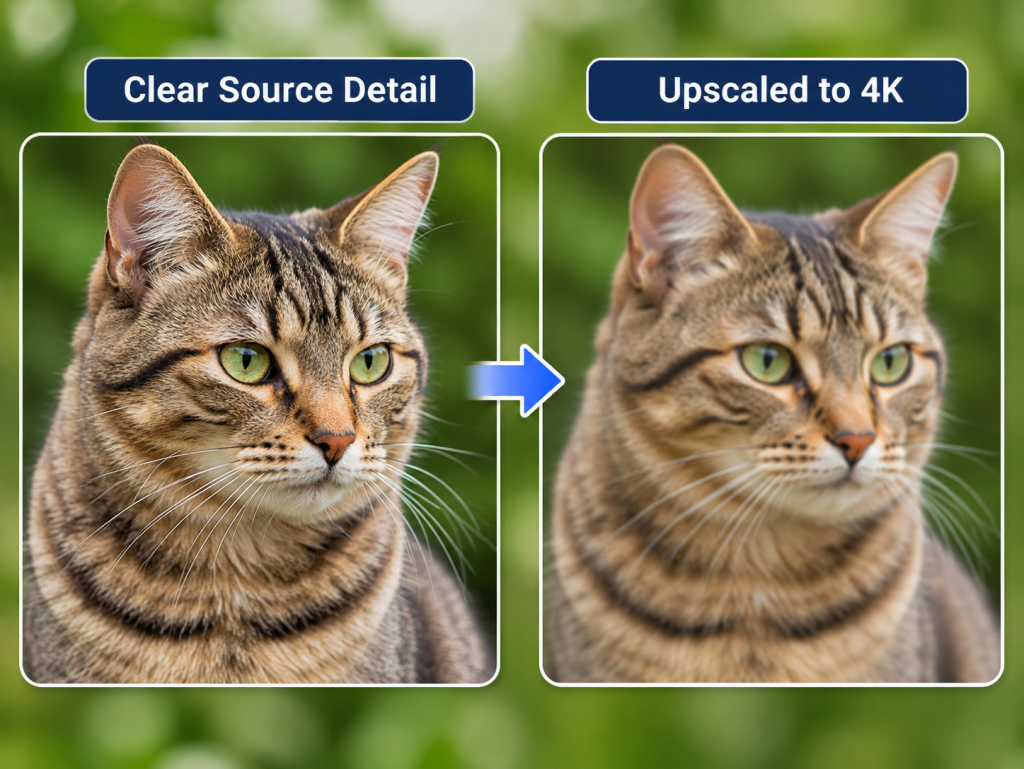
A downloader cannot recreate details lost during that processing. Similarly, a larger 4K file does not automatically provide genuine 4K detail if the source was lower resolution.
Audio and Watermarks
Audio availability varies, especially when videos use licensed music. Some downloads may lack a soundtrack even when the original Reel plays with sound on Instagram.
Downloaded files may also contain logos, captions, or watermarks embedded by the creator. Instagram’s native Reel downloads can include platform attribution. By contrast, a re-encoded screen recording can look softer or logo-stamped. If direct download options are disabled, screen recording is still a workable fallback.
Storage Tips for Instagram Video Downloads
Keep Your Downloader Accessible
If you download public videos regularly, keep your preferred downloader in a browser bookmark or separate tab. This makes it easier to copy a link, paste it, and save the available file without searching for the website each time.
Organize Files by Purpose
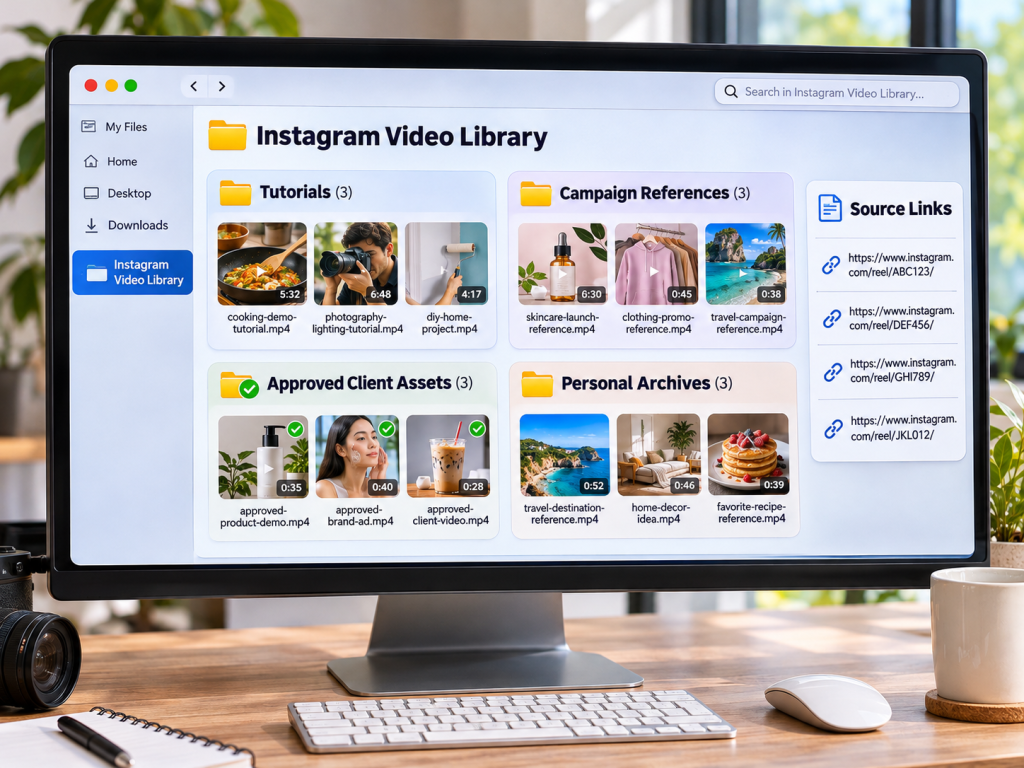
Create folders for tutorials, campaign references, approved client assets, and personal archives. Give files descriptive names with the topic, creator, or date when relevant. Retaining the original post URL helps you identify the source later.
For public carousel references, Grabfy’s Instagram Carousel Downloader provides a dedicated option for supported posts. Keep numbered slides in their original order when they form a tutorial or visual sequence.
Match Quality to Storage Needs
Higher-resolution videos often take up more storage. For casual viewing, a smaller file may suffice. For editing references, check quality before archiving.
A Practical Instagram Video Download Workflow
For people collecting videos across several projects, an Instagram video download workflow through Grabfy is a completely free way to save supported public video files to your device in a browser, and many public-link tools do not impose daily download limits. Copy the post link, save the available file, and move it into the correct project folder.
This routine helps creators maintain consistent filenames, source records, and separate media folders.
How to Fix Common Download Problems
Private, Deleted, or Incorrect Links
Public downloaders cannot bypass private-account restrictions. Deleted posts and expired Stories may also be unavailable. If a link fails, confirm that the post still opens publicly and copy its URL again.
Slow or Failed Downloads
Check your internet connection, refresh the downloader, or try another browser. Temporary website issues and browser settings can interfere with downloads, but changing browsers will not override content restrictions.
Missing Sound or Files
If a video has no audio, check the original post and consider licensing limitations. For missing files, inspect your browser’s download history and configured save location.
Where Are Downloaded Instagram Videos Saved?
iPhone or iPad: Check the Files app, usually under Downloads; when saved from a mobile browser, files usually go to Files, Downloads, or Gallery on your device. You can move compatible videos into Photos using the sharing options.
Android: Look in Downloads or your file manager. Some files may also appear in Gallery.
Windows or Mac: Check the browser’s Downloads folder or the location selected in its settings; this works across Windows, Mac, and Linux.
Safety, Privacy, and Copyright
Avoid websites requesting Instagram passwords, authentication codes, suspicious extensions, or unrelated payment details. A public-link downloader should not require account credentials.
Public availability does not automatically permit redistribution. Copyright may protect footage, music, and photographs. Obtain appropriate permission before reposting someone else’s video or using it commercially, and retain attribution and licensing records for professional projects.
Frequently Asked Questions
Can I Download Instagram Videos Without Logging In?
Yes. Compatible browser-based tools can retrieve supported public videos when you paste a public Instagram link, without entering login details.
Can I Download Videos in 1080p?
Sometimes, if an accessible source version supports that resolution. Not every post offers a 1080p file.
Can I Download Private Instagram Videos?
No. Public downloaders cannot bypass private-account access restrictions. Browser tools also do not work for private accounts, though some optional extensions may save content only when you already have access to view it.
Does Instagram Notify Creators About Downloads?
Instagram generally does not send individual notifications for external downloads of public feed videos. Story views through signed-in accounts are different.
Can I Reuse a Downloaded Video?
Only with appropriate rights, permission, or another valid legal basis. Downloading does not transfer ownership.
Final Thoughts
Downloading supported public Instagram videos is easier when you understand formats, available quality, and file storage. Choose the appropriate download method, organize saved media carefully, and respect creators’ rights and account privacy settings.
Read more : Corporate Governance and Regulatory Compliance: Why Every Business Needs a Strong Legal Foundation

1 comment